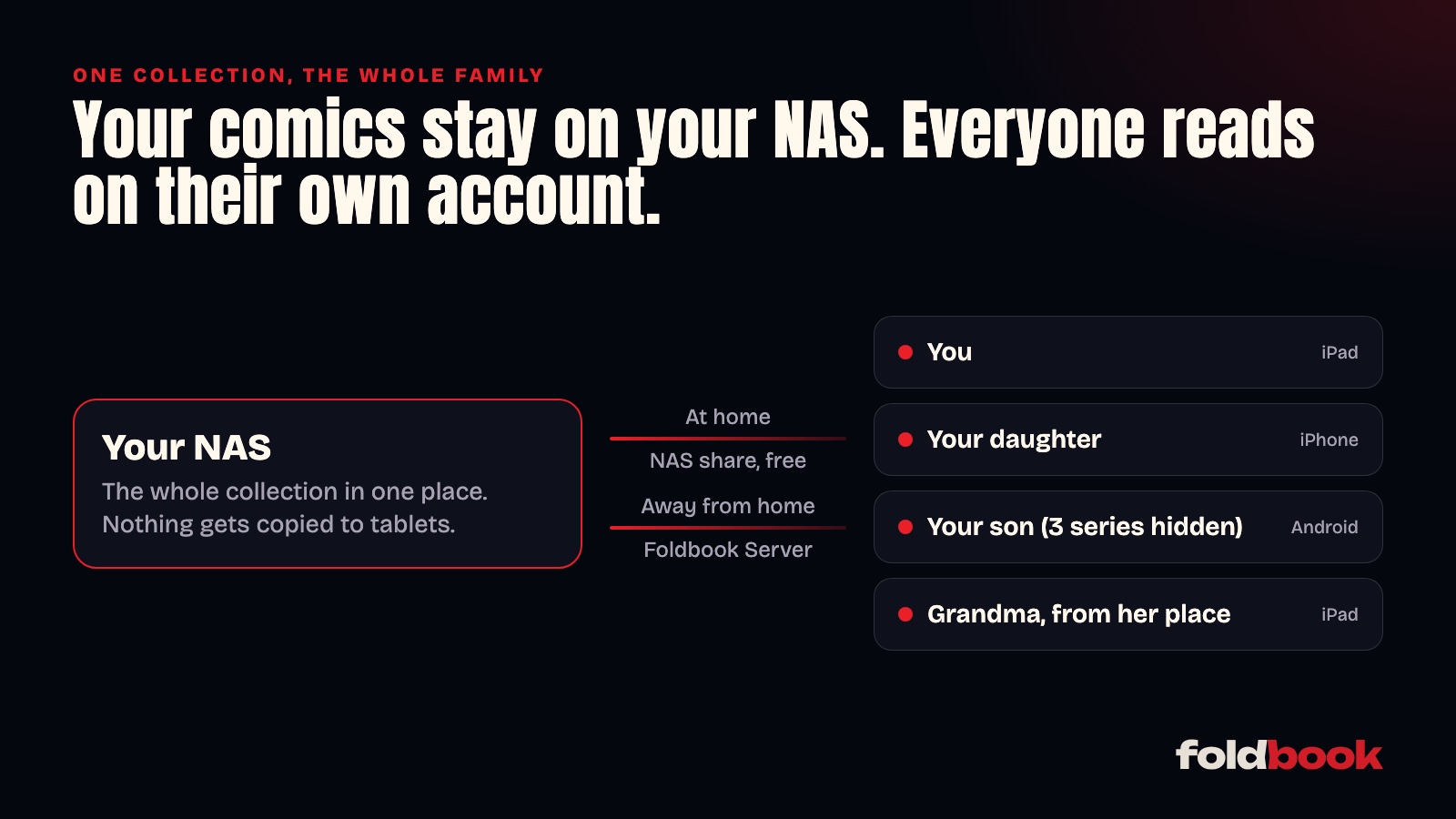
To let your whole family read your comics and manga, the simplest setup is to keep the collection in one place, your NAS, and give everyone access with their own account. Nobody copies files around, everyone keeps their own page, and you decide what the kids get to see. At home it's free. For family who read from their own homes, there's Foldbook Server.
Why not just copy the files to every tablet?
Copying the collection to each iPad feels quick. Then the tablets fill up, a volume added on one is missing on another, and you redo it all with every new series. With a single collection on the NAS, a new volume shows up for everyone.
At home, a shared folder is enough
If everyone is on the same Wi-Fi, each device can add your NAS in Foldbook, just like you did. Reading is free, with no account and no subscription. The guide to reading your comics from a NAS shows how.
Two settings make all the difference:
- A read-only NAS user for the kids. On a Synology, create it in Control Panel › User, with "Read only" permission on the comics folder. Nobody can delete a volume by accident.
- A Foldbook account for each person. Without an account, Foldbook writes reading progress to a small file on the NAS that every device shares: if your daughter reads volume 3, your son finds volume 3 open too. With an account each (free), everyone keeps their own page, bookmarks and notes.
At the grandparents' or on vacation: Foldbook Server
Away from home, the NAS share stops working. Foldbook Server lends your library to the people you invite, wherever they are, without opening anything on your router.
It's a Docker container that runs on your NAS, next to your books. On a Synology, it installs in Container Manager in two minutes by pasting one file. The Foldbook Server page walks you through it, and has a text you can paste into ChatGPT or Claude if you'd rather be guided.
Then:
- you link it to your account with a six-digit code;
- you tick the folders you want to lend;
- you invite each person with a link or a code, valid for seven days;
- they install Foldbook on their iPhone, iPad or Android phone, create an account, and your library shows up in theirs.
The people you invite read for free. You're the one who needs Foldbook+, the subscription that unlocks remote reading and lending your library.
How do you hide some series from the kids?
For each person you invite, you choose which libraries they see. For a specific series, press and hold its cover in your library, select the series to hide, then tap "Hide for…". The server then refuses those books to that person, even if they know the file path. Your 11-year-old reads the family manga, minus the three series you've decided to keep for later.
Other questions people ask
Are my files sent over the internet?
At home, Foldbook reads the NAS directly and sends nothing anywhere else. When a guest reads from their own home, pages go through Foldbook's relay, which passes them along without keeping or looking at them. Your files stay on your NAS.
Does everyone need an iPhone?
No. Foldbook runs on iPhone, iPad and Android, and the same library can be read on all three. Each person's progress follows them from one device to the next.
What if I don't have a NAS?
A Mac or PC that stays on can share a folder, and Foldbook Server also runs with Docker Desktop. A NAS is still easier: it's built to stay on and uses little power.