On Android, a good comic reader should open CBZ and CBR files (RAR5 included), turn pages right to left for manga, and read your collection where it already lives, whether that's on the phone, a NAS or a home server. If you're moving from an iPhone to Android, or part of your family is on Android, also check that your reading progress follows you between devices. Foldbook does all of this, on Android as well as iPhone and iPad.
Why is this a question on Android?
Several of the best-known comic readers only run on Apple devices. Panels is one of them: its Android page says no version is planned for now. When you switch phones, or want to lend your comics to someone on Android, you need another app, ideally one that exists on both sides.
What to check before you pick one
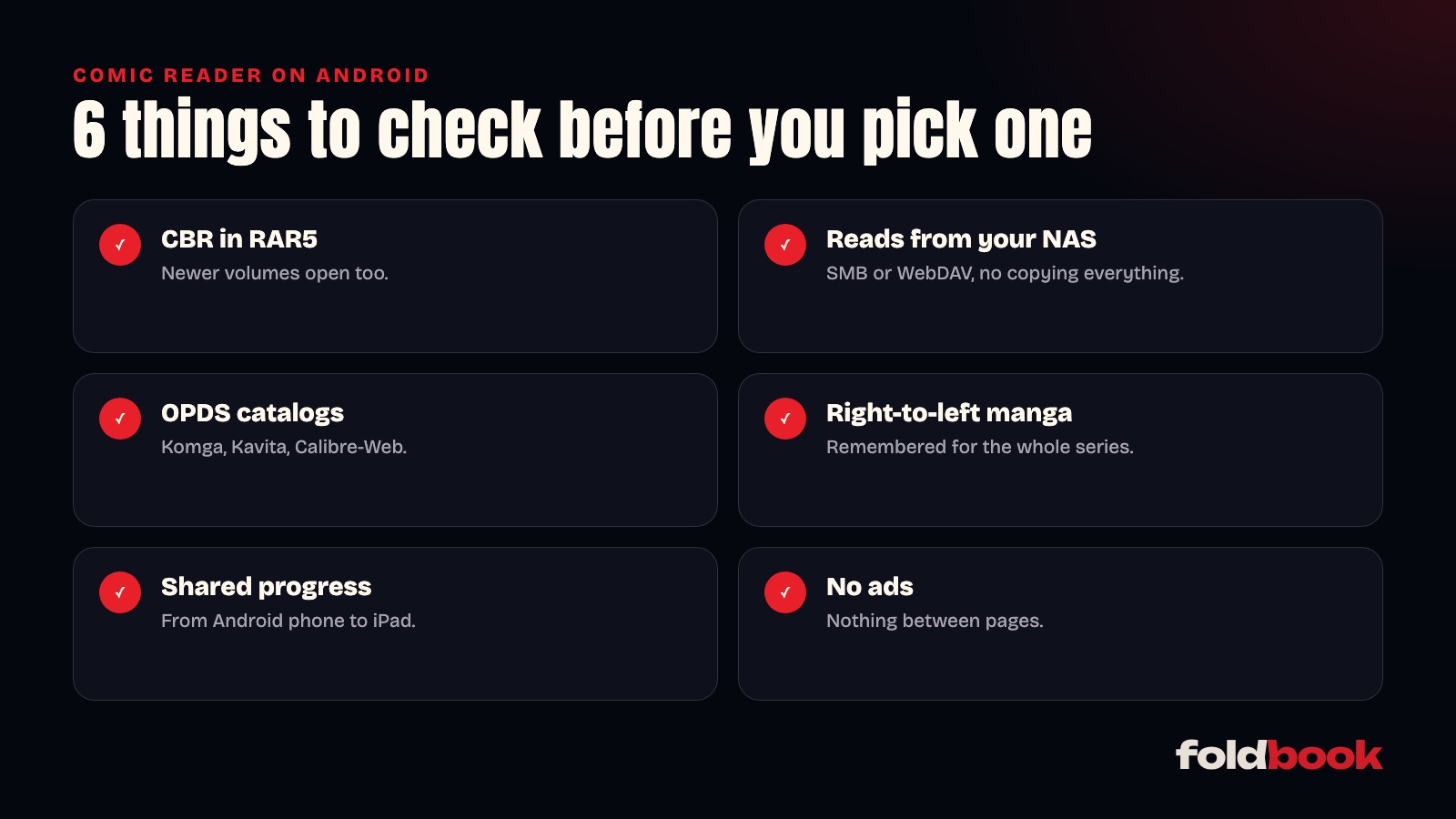
Formats. A CBZ is a ZIP archive, a CBR is a RAR archive. RAR comes in two versions, RAR4 and RAR5, and some readers only handle the first: a newer volume then refuses to open for no obvious reason. Check CB7 (a 7-Zip archive) and PDF too if you have them.
Sources. An app that only reads files copied to the phone means copying everything over. If your collection sits on a NAS or a computer, look for an app that reads SMB shares, or WebDAV if you access it away from home. If you run Komga, Kavita or Calibre-Web, the app needs to open an OPDS catalog.
Reading direction. For manga, the app should turn pages right to left, and remember that for the whole series.
Progress. If you read on more than one device, or change phones, your page should follow you.
Ads. Free readers sometimes pay for themselves with banners between pages. Worth checking before you read a hundred volumes with one.
How Foldbook handles it on Android
Foldbook is the same app on Android as on iPhone and iPad, with the same reader:
- CBZ, CBR (RAR4 and RAR5), CB7, PDF and EPUB, novels included;
- CBZ and CBR files are read page by page from your NAS, without downloading the volume;
- sources: SMB shares (Synology, QNAP, a PC sharing a folder), WebDAV, OPDS catalogs, and files on the phone;
- reading direction guessed from the file or the library, and remembered for each series when you change it;
- with an optional account, your progress, bookmarks and notes move from an Android phone to an iPad, and back;
- no ads, and reading at home is free.
One difference from iPhone: iCloud Drive folders are only available on iPhone and iPad. On Android, use your NAS, WebDAV or the files on your phone.
To connect your collection, the guide to reading your comics from a NAS takes five minutes. And if you're weighing it against an app you already know, the Foldbook vs Panels comparison goes through the differences point by point.
Other questions people ask
Can I start a volume on my iPad and finish it on Android?
Yes, with a Foldbook account, which is free and optional. Your page, bookmarks and notes follow you from one device to the next, whatever the system.
Is Foldbook free on Android?
Reading your collection at home is free, with no account needed. The Foldbook+ subscription, paid through Google Play, is for reading remotely through Foldbook Server and lending your library to family and friends.
Do my comics need to be on the phone?
No. Foldbook reads them on your NAS or server, page by page. You only download what you want to read offline.